July 6, 2021 . 3 MIN READ
https://wpfixit.com/briefly-unavailable-scheduled-maintenance/
QUICK FIXES FOR THE “BRIEFLY UNAVAILABLE” ERROR-
As mentioned above, while updating plugin or theme, WordPress goes into the maintenance mode. However, it also creates a maintenance file in the WordPress directory. Once the update process is successfully completed, this file gets deleted automatically.
However, if the update process gets interrupted due to any reason, WordPress does not get enough time to delete this file and then “Briefly unavailable for scheduled maintenance. Check back in a minute.” error message starts appearing constantly.
One of the easiest and fastest ways to fix this issues is by removing the .maintenance file manually from WordPress directory. Below are a few ways to perform this task.
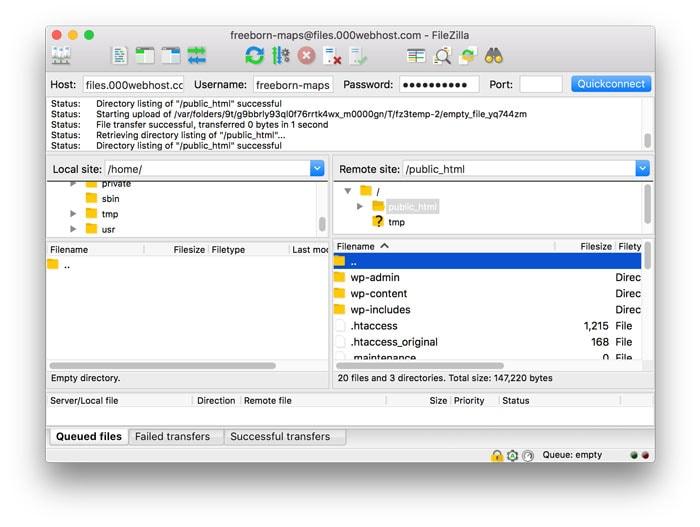
METHOD NO 1- USING FTP-
The WordPress directory is a kind of folder where you can find various files and folders such as WP-admin, WP-Content, WP-Includes as you can see in the above snapshot.
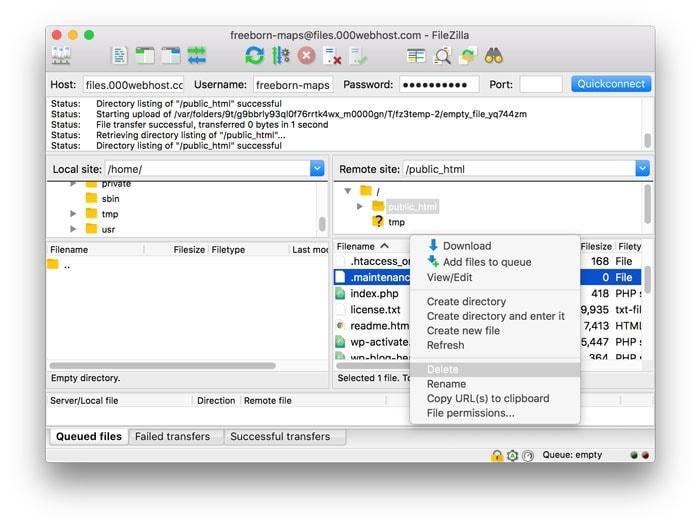
2. Now find the .maintenance file, right click on it, and select ‘Delete’. See the following image.
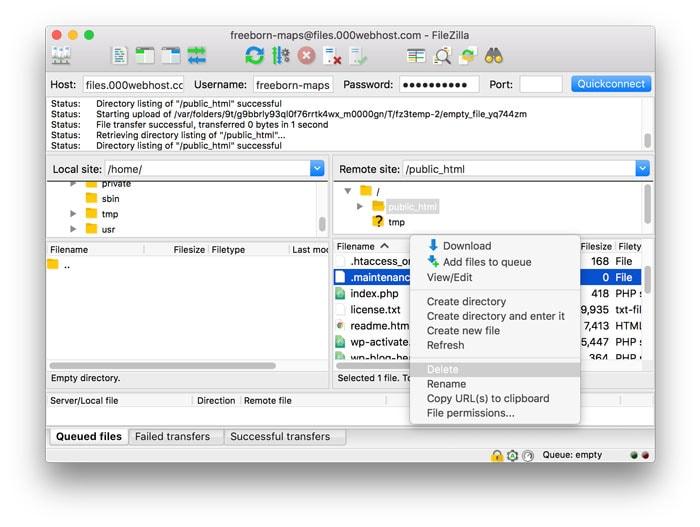
3. Now refresh your site and check whether everything is back to normal or not!
Note.- If you are not able to locate the .maintenance file, go to Server On Filezilla’s menu and choose ‘Force Showing Hidden Files’.
METHOD NO 2-USING FILE MANAGER-
In case you have don’t have FTP access to your server or you are, not enough familiar with the use of FTP, you can pick this method to fix this error.
You can access WordPress directory using File Manager.
METHOD NO: 3- USING SHH
You can also use Command Line to delete the .maintenance file out of your WordPress directory.
The procedure for the same will go as per below.
METHOD NO:4 WP-ACTIVATE.PHP
If above methods are not working for you, you can give this method a try. First, you need to download wp-activate.php available in your WordPress directory to your computer through the File manager.
Now, open wp-activate.php using Atom and find the line “define (‘WP_INSTALLING’,true)”. For better understanding, see the following screenshot:
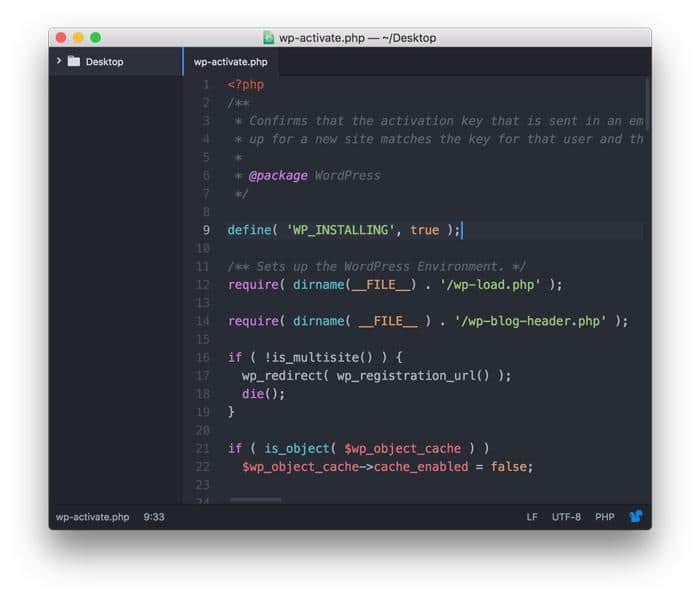
Now replace the variable true with false in the code like this: “define (‘WP_INSTALLING’, false);.
Now save the changes you have made and upload wp-activate.php back to WP directory.
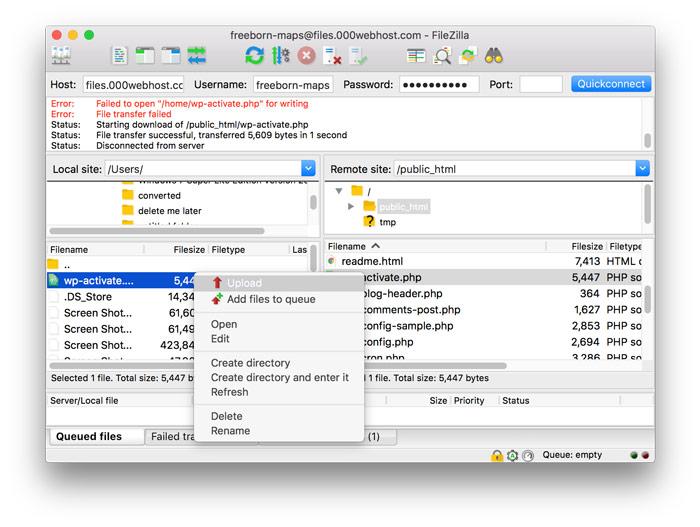
To confirm error has disappeared, refresh your website.
FINAL WORDS:-
The error “Briefly Unavailable for Scheduled Maintenance. Check back in a minute.” may put you in panic in the first look. However, let me tell you it is one of the easiest errors to fix in WordPress platform. I hope this article will be found helpful to WP owners, who encounter this issue. And if you have already fixed this error using a different method, kindly share your views. I would like to hear your thoughts.