July 13, 2021 . 2 MIN READ
1. You have a static html site you want to convert to WordPress but do not want to change the URL names. This is a good reason why you should make WordPress html extensions in terms of permalink structure, if you do not want to do a lot of 301 redirects.
2. In my personal experience, .html pages rank higher than my normal WordPress pages. This could be wrong for many reasons. So I can not say 100% that .html WordPress pages rank higher or are better for SEO.
3. People say it looks better. It feels and looks static and some people view this subconsciously with a little more trust than a dynamic page.
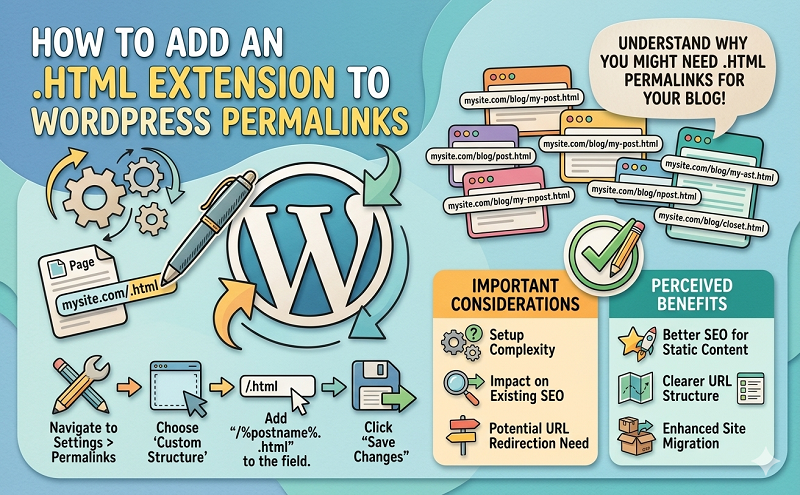
By default, .html extension is possible on posts but not on pages. So today I am going to show you how you can add .html extension to both posts and pages in WordPress
Go to Settings -> Permalinks then select the “Custom Structure” radio button. Change the structure of the code to:
|
1
|
/%postname%.html/
|
Done!
Add this block of code into your functions.php
|
1
2 3 4 5 6 7 8 9 10 11 12 13 14 15 16 17 18 19 20 21 22 23 24 25 26 27 28 29 30 31 32 33 34 35 36 37 38 39 40 41 42 43 44 45 46 |
add_action(‘init’, ‘html_page_permalink’, –1);
register_activation_hook(__FILE__, ‘cvf_active’); register_deactivation_hook(__FILE__, ‘cvf_deactive’);function html_page_permalink() {global $wp_rewrite; if ( !strpos($wp_rewrite->get_page_permastruct(), ‘.html’)){ } global $wp_rewrite; if ($wp_rewrite->using_permalinks() && $wp_rewrite->use_trailing_slashes==true && $type == ‘page’){ } function cvf_active() { global $wp_rewrite; if ( !strpos($wp_rewrite->get_page_permastruct(), ‘.html’)){ } function cvf_deactive() { global $wp_rewrite; $wp_rewrite->page_structure = str_replace(“.html”,“”,$wp_rewrite->page_structure); } |
Do you need help with a project? or have a new project in mind that you need help with?
https://carlofontanos.com/add-html-extension-to-permalinks/