October 31, 2022 . 4 MIN READ
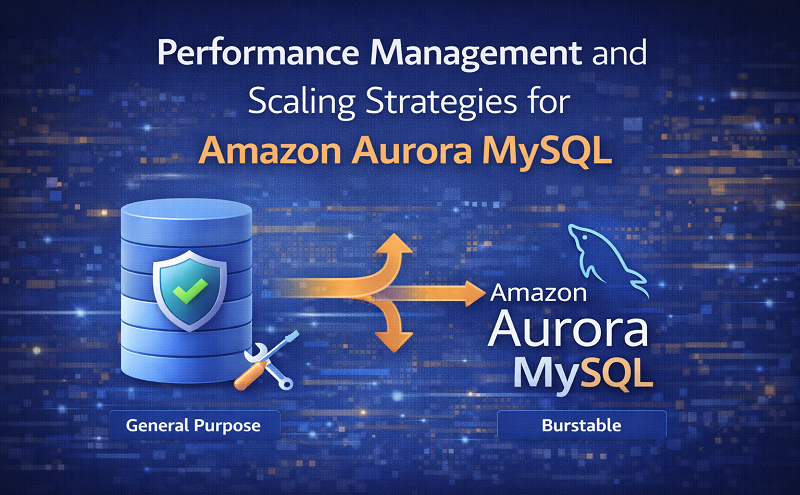
Aurora MySQL database instances can be scaled in two main ways: instance scaling and read scaling. Instance scaling involves upgrading or downgrading the DB instance class to adjust compute and memory capacity, while read scaling increases read performance by adding additional read replicas.
To scale an Aurora MySQL DB cluster using instance scaling, you modify the DB instance class for each instance in the cluster. Aurora provides several instance classes that are optimized specifically for Aurora workloads. However, instance classes such as db.t2 and db.t3 should not be used for large Aurora clusters with storage sizes greater than 40 TB, as they are designed for lighter workloads.
Burstable instance types such as T2, T3, and T4g are generally recommended only for development, testing, or non-production environments. These instance types are not ideal for production workloads because they have lower connectivity limits and performance characteristics compared to larger instance classes.
The maximum number of database connections allowed for an Aurora MySQL DB instance is controlled by the max_connections parameter in the instance-level parameter group.
The default connection limit varies depending on the DB instance class. In general:
T2 and T3 instances support relatively small connection limits because they are intended for development and testing.
R-series and larger instances allow significantly higher numbers of connections because they have more memory resources.
You can increase the maximum number of connections in two ways:
Scale the instance to a larger DB instance class with more memory.
Modify the max_connections parameter in the DB parameter group (up to a maximum limit of 16,000 connections).
If your application frequently opens and closes database connections or maintains many long-lived connections, it is recommended to use Amazon RDS Proxy.
RDS Proxy is a managed database proxy service that improves scalability and availability by using connection pooling, allowing multiple application requests to efficiently share database connections.
The default value for the max_connections parameter is calculated using a formula that considers the memory available in the DB instance class.
Key points about the calculation:
The formula uses base-2 logarithmic calculations and the DBInstanceClassMemory value.
Only integer values are used; decimal results are truncated.
For large instance families such as R3, R4, and R5, the connection limit increases by approximately 1000 connections as memory doubles.
For T2 and T3 instances, the connection limit increases in increments of about 45 connections as memory increases.
For example, a db.r6g.large instance might produce a calculated value of 1069, but the system standardizes this to 1000 connections to maintain consistent increments.
If you create a custom parameter group, the default connection value will still be derived from the memory-based formula unless you manually override it.
It is also important to note that Aurora MySQL and Amazon RDS for MySQL may have different connection limits, even if they use the same instance class, because Aurora has different memory overhead requirements.
Aurora MySQL stores database tables and indexes in the Aurora distributed storage subsystem. However, it uses separate local or temporary storage for other types of files, including:
Non-persistent temporary files
Non-InnoDB temporary tables
Temporary files created during query processing
Files used for sorting large datasets
Files used during index creation
These temporary files are stored in local storage volumes backed by Amazon Elastic Block Store (EBS).
Important characteristics of temporary storage:
Temporary data is not persistent.
It is lost when the DB instance is stopped, restarted, or replaced.
The storage capacity can increase when using a larger DB instance class.
Temporary storage is also used when:
Importing data from Amazon S3 using commands such as LOAD DATA FROM S3 or LOAD XML FROM S3
Exporting data to S3 using SELECT INTO OUTFILE S3
Aurora MySQL uses separate permanent storage for various log files, including:
Error logs
General logs
Slow query logs
Audit logs
Unlike temporary storage, this log storage:
Persists across DB instance restarts and host replacements
Is backed by Amazon EBS
Has a fixed size based on the DB instance class
This log storage cannot be expanded by upgrading the instance class.
Each Aurora DB instance class provides different limits for:
Maximum temporary/local storage
Maximum storage for log files
Larger instance classes support significantly higher temporary storage capacities, while smaller or burstable instance types typically provide around 32 GiB of temporary storage.
However, these values represent theoretical maximum storage limits. In practice, the available local storage may be lower because Aurora and the DB instance use part of the storage for internal system processes.
You can monitor the available temporary storage using the FreeLocalStorage metric in Amazon CloudWatch. This metric helps you:
View the current amount of available local storage
Track storage usage over time
Identify trends such as increasing or decreasing storage availability
Determine minimum, maximum, or average storage levels
Monitoring these metrics can help prevent storage-related performance issues.
Note:
These storage details apply to Aurora MySQL provisioned instances and do not apply to Aurora Serverless v2.
Reference:
https://docs.aws.amazon.com/AmazonRDS/latest/AuroraUserGuide/AuroraMySQL.Managing.Performance.html