
April 18, 2022 . 3 MIN READ
Reference:
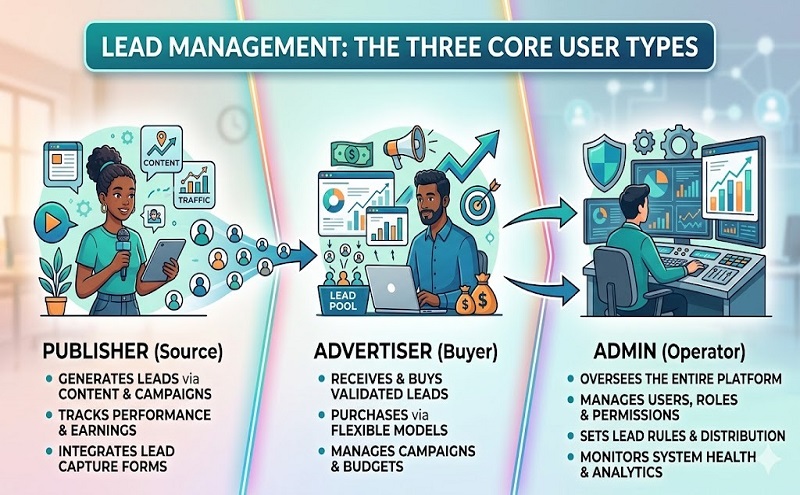
Publisher:
Advertiser:
Admin:
OFFER DETAILS: here goes offer details information like – offer name, sale representation, offer type, advertiser, and payout.
PING TREE: if this offer/campaign configured as ping tree than the software automatically submit existing lead (unique lead not duplicate) to the API. Therefore, the owner will get 100% revenue.
OFFER DISPLAY: This section required for to receive lead using survey in real time showing a question. like – google ads.
CPA: This section required for to receive lead using survey in real time showing an image. like – google ads.
OFFER LIFECYCLE: Set offer/campaign lifecycle start date, end date or every day. by default, it’s every day.
OFFER VISIBILITY: From here you can set offer visible day and time.
OFFER CAPPING: From here, you can set how much lead you want to receive per day, monthly and total.
BATCH WITHOUT API: Suppose, you need an offer/campaign that required does not send a lead to the API just store into this software so that you can see the report. just marked this section.
DATA TO COLLECT: configure this section what kind of data your API receiving from the system. Like – First name, Last name, Email, Date of Birth, State, City, Zip, Phone or any other.
POSTING SETUP: here configure posting method (GET, POST, XML, SOAP), lead posting URL, response type, a response message, and response code.
DEVICE TARGETING: You can also set target devices from here. like – Desktop, iOS, Android.
GEO-TARGETING: You can set your target state directly from the select area. or you can upload a list of zip code those you want to set as a target area.
DEMOGRAPHIC TARGETING: if you want to receive a lead from particular gender, age. just configure here.
PUBLISHER TARGETING: if you want to receive leads using survey, configure here publisher’s which site you want to show the survey.
FORM POST INSTRUCTIONS: Configure here which publishers can send lead to the system, daily capacity, and cost. From here you can active/inactive a publisher without removing.
VERIFICATION: This section will verify genuine email, address, and zip and phone. So that, spam lead does not hit the API server. Configure it as your requirement.










