

May 23, 2022 . 2 MIN READ
Elementor is a leading-edge drag-drop page builder plugin for WordPress which is getting popular, the Elementor is the most active plugin and the team is pushing new widgets and features. Here we are going to explain how to export and import your own Elementor template to reuse it in your other web development projects.
You can save your template in “Elementor Library”. It is possible to reuse the saved template in your other web development projects. It not only saves the valuable time and energy but also improves the productivity. For example, if you have created a catchy template for a contact page in a project, you can use the same thing for your other website project in seconds.
Let’s see how to Export and Import Elementor template.
First of all, we need to save our Elementor template to export and reuse it, here is how to save your Elementor template:
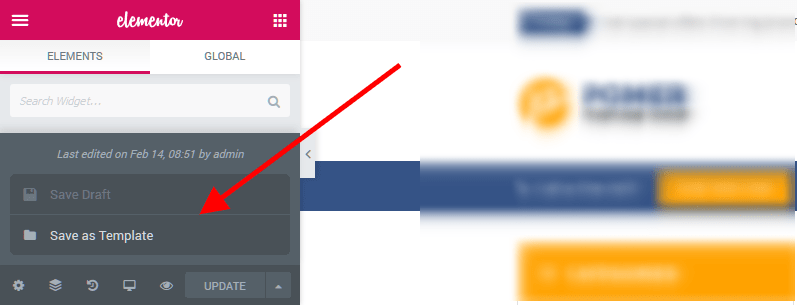
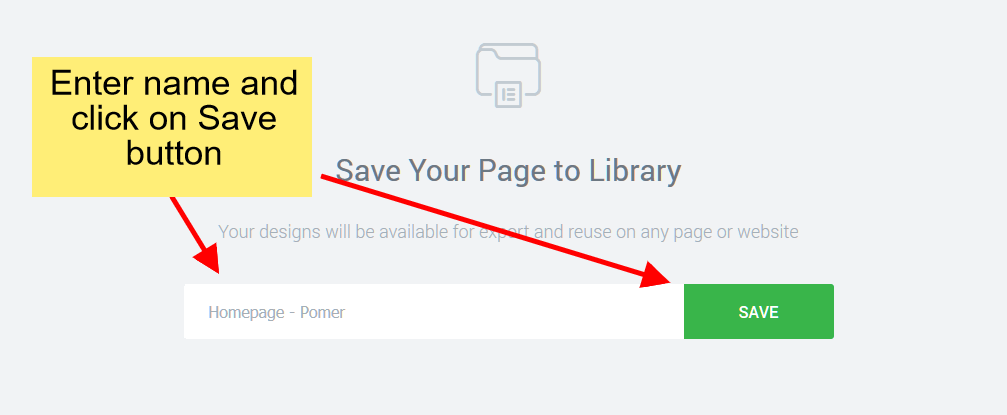
We have saved our template, now we need to export the saved template to use it in another Web Project, here are the steps to export the saved Elementor template:
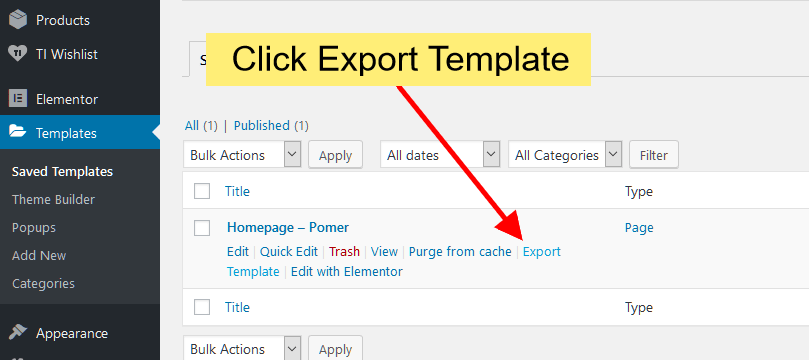
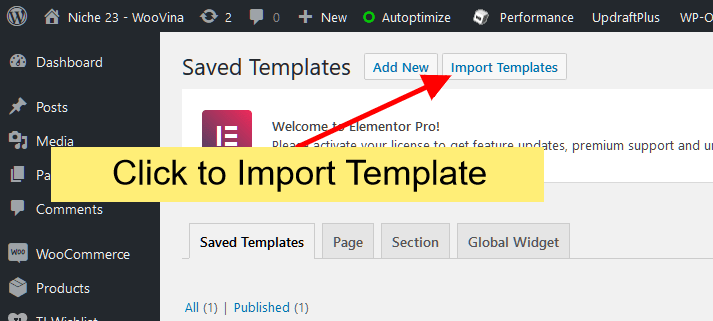
We have exported our template, now you have to import it in your other website project. Here is how to import Elementor template:
We hope this article helped you Export and Import Elementor Template.
For questions and feedback please contact us here.
PS: Looking to spruce up your online store with stunning ecommerce website templates designed by Elementor? Look no further! Our collection boasts 90+ ecommerce website templates that cater to all types of businesses at an incredibly affordable starting price of just $3.99. Don’t miss out on this opportunity to take your online sales to the next level – check out our ecommerces website templates collection now!
Reference:
https://woovina.com/blog/wordpress-plugins/how-to-export-and-import-elementor-template










