
July 13, 2021 . 3 MIN READ
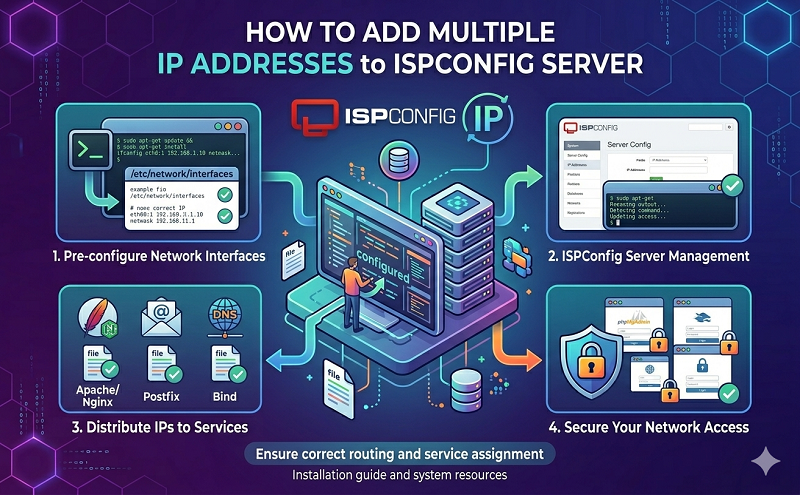
How to add multiple IP to ISPCOnfig server
http://adventuresinswitching.blogspot.com/2008/05/setup-multiple-ip-addresses-on-ubuntu.html
I’m working on migrating a server again today and we decided that we want to put some of the services on 1 IP and the others on another so if we ever need to move one set of services over the IP can follow. This is the machine that is running Ubuntu 8.04 Server.
It turns out this is a pretty simple thing to do. First, edit your interfaces file:
sudo nano -w /etc/network/interfaces
# This file describes the network interfaces available on your system
# and how to activate them. For more information, see interfaces(5).
# The loopback network interface
auto lo
iface lo inet loopback
# The primary network interface
auto eth0
iface eth0 inet dhcp
Then add in a few new lines below the eth0 section to create a new virtual interface:
auto eth0:0
iface eth0:0 inet static
address 10.10.10.200
netmask 255.255.255.0
Then restart your networking:
$ sudo /etc/init.d/networking restart
And there you have it, your new virtual interface with your new IP.
$ ifconfig
eth0 Link encap:Ethernet HWaddr 00:1d:09:15:74:af
inet addr:10.10.10.122 Bcast:10.10.10.255 Mask:255.255.255.0
inet6 addr: fe80::21d:9ff:fe15:74af/64 Scope:Link
UP BROADCAST RUNNING MULTICAST MTU:1500 Metric:1
RX packets:52 errors:0 dropped:0 overruns:0 frame:0
TX packets:42 errors:0 dropped:0 overruns:0 carrier:0
collisions:0 txqueuelen:1000
RX bytes:9780 (9.5 KB) TX bytes:5388 (5.2 KB)
Interrupt:17
eth0:0 Link encap:Ethernet HWaddr 00:1d:09:15:74:af
inet addr:10.10.10.200 Bcast:10.10.10.255 Mask:255.255.255.0
UP BROADCAST RUNNING MULTICAST MTU:1500 Metric:1
Interrupt:17
lo Link encap:Local Loopback
inet addr:127.0.0.1 Mask:255.0.0.0
inet6 addr: ::1/128 Scope:Host
UP LOOPBACK RUNNING MTU:16436 Metric:1
RX packets:38081 errors:0 dropped:0 overruns:0 frame:0
TX packets:38081 errors:0 dropped:0 overruns:0 carrier:0
collisions:0 txqueuelen:0
RX bytes:1614360 (1.5 MB) TX bytes:1614360 (1.5 MB)
Thanks go to NukeSilo.com for getting me started and the Debian guide on Network configuration for all the details.
Setting multiple IPs on Linux or in this case Debian is rather straight forward… All the network info is stored in the file /etc/network/interfaces and you just need to add the info to the file…
Before making changes to this file, I recommend you check your values at least 3 times! If you have made a mistake and trying to do it from a remote location, YOU WILL LOCK YOURSELF OUT!
This is a sample configuration with device eth0 having the IP address of 192.168.1.2 on a Class C Network with 192.168.1.1 as the default gateway.
/etc/network/interfaces:
# /etc/network/interfaces – configuration file for ifup(8), ifdown(8) # the loopback interfaceauto loiface lo inet loopback auto eth0iface eth0 inet static address 192.168.1.2netmask 255.255.255.0broadcast 192.168.1.255gateway 192.168.1.1
In order to add multiple IPs to the same interface, In this case eth0 You need to add it in the following method…
auto eth0:0iface eth0:0 inet static address 192.168.1.3netmask 255.255.255.0broadcast 192.168.1.255 auto eth0:1iface eth0:1 inet static address 192.168.1.4netmask 255.255.255.0broadcast 192.168.1.255 auto eth0:2iface eth0:2 inet static address 192.168.1.5netmask 255.255.255.0broadcast 192.168.1.255
Thats it, after you have made all the necessary changes, you need to restart the networking by issueing the following command…
# /etc/init.d/networking restart
You can’t install 100+ network adapters in cases where you need 100+ IP addresses.
While having multiple IPs on a home system would be unusual it is not uncommon at all in servers run by hosting services.
Using /etc/network/interfaces is just an automated way of doing it using the ifconfig command. Usually to add an IP all you need to do is run,
ifconfig eth0:1 192.168.0.2 netmask 255.255.255.0
ifconfig eth0:2 192.168.0.3 netmask 255.255.255.0
… etc
or using “ip add addr …” is another way (more modern?)
There is no need for another adapter to do this. It’s not illegal or wrong or weird at all. It is supported by the system for many useful situations.
However, on many/most hosting uses today it would be handled in a more sophisticated way by the virtualization software which provides virtual venet0 type interfaces (not eth0) automatically for the hosted vps accounts. There could easily be dozens of those per system. And then within each account users can add multiple IPs as well when needed.
Web server admins often need multiple IPs to run SSL sites because SSL only supports one domain per IP.
http://ubuntuforums.org/archive/index.php/t-1358278.html
http://adventuresinswitching.blogspot.com/2008/05/setup-multiple-ip-addresses-on-ubuntu.html
http://www.nish.com/2007/12/how-to-set-multiple-ips-on-debian/








