https://stackoverflow.com/questions/38864405/how-to-restrict-access-to-master-branch-on-git
Using GitHub
A repository can have multiple protected branch rules that affect the same branches.
Protected branches are available only in public repositories with GitHub Free.
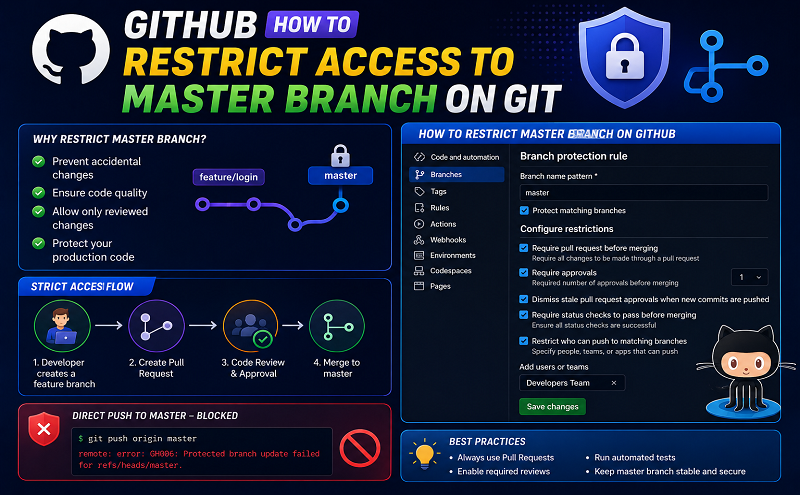
Protected branch in GitHub can be configured to require:
- pushes to be made via pull requests and reviewed before being merged,
- other branches to pass status check before being merged,
- commits to be signed,
- history to be linear,
- that the above rules are enforced even for administrators,
- that pushes come from specific people, teams or app,
Force pushes and deletions can be allowed independently.
To protect a branch:
- On GitHub, navigate to the main page of the repository.
- Under your repository name, click Settings.
- In the left menu, click Branches.
- Next to “Branch protection rules”, click Add rule.
- Under “Branch name pattern”, type the branch name or pattern you want to protect (Impacted branches are listed and counted).
- Configure specific branch rule settings if needed.
- Click Createor Save changes.