
July 9, 2021 . 2 MIN READ
http://www.nsa.co.il/about/services/tech-wiki/directadmin-backup/
We probably do not need to explain in the year 2010 why backing up is not just a good idea, but is critical for any site owner.
This simple guide will show you how how to:
We will assume the following:
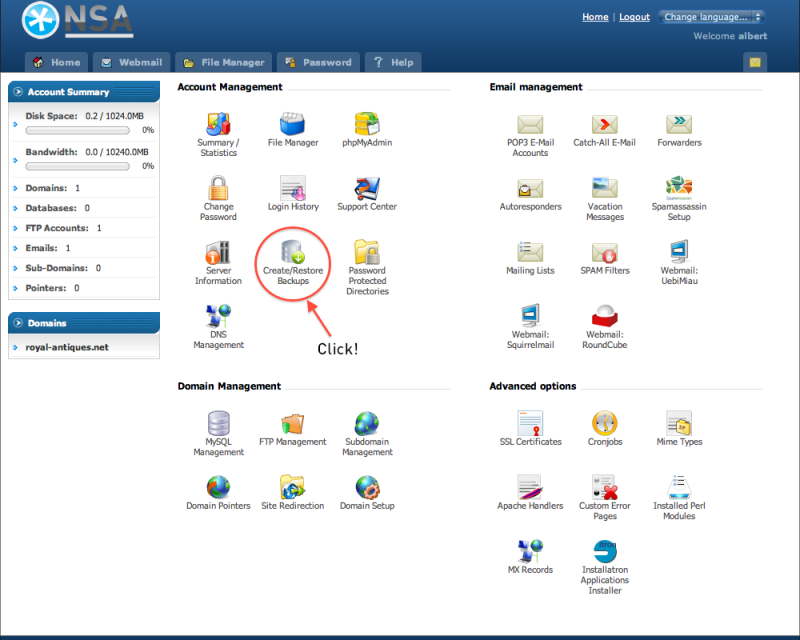
Login to your DirectAdmin package, and you will be greeted with the following page (click to zoom):
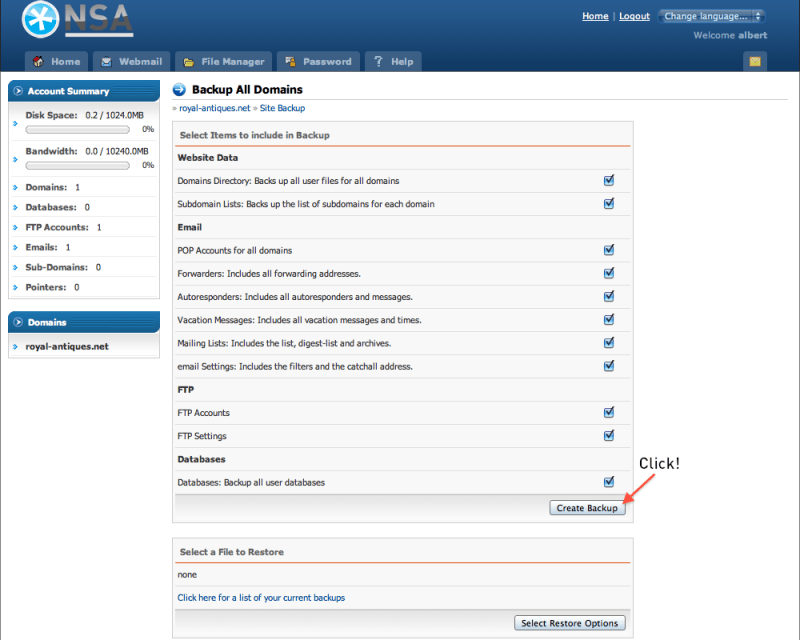
You will get to the “Site Backup” screen, now click the “Create Backup” button:
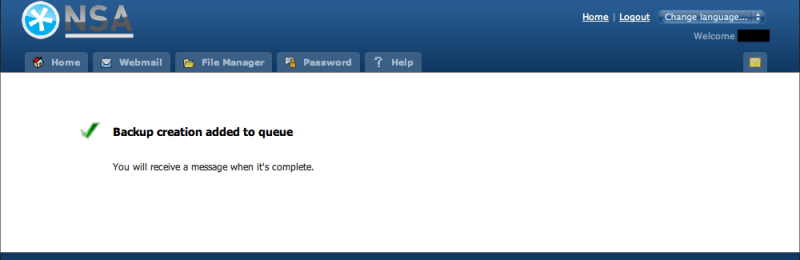
You will then see this screen:
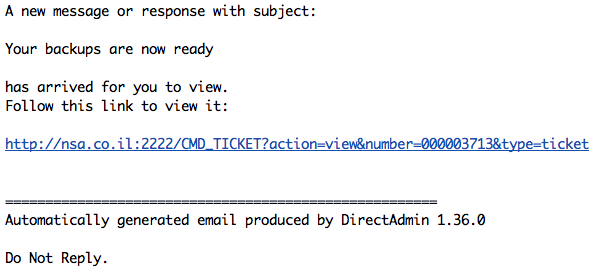
And after a minute or two, if everything went well with the backup, you will also receive an email from the system, which should look like this (more or less):
Now that your backup is ready, it’s time to download them to your computer. Click again “Create/Restore Backups” in the main Control Panel page.
You will see again the “Backups” page, this time click the link at the bottom that says “Click here for a list of your current backups”.
You should now see the following screen:
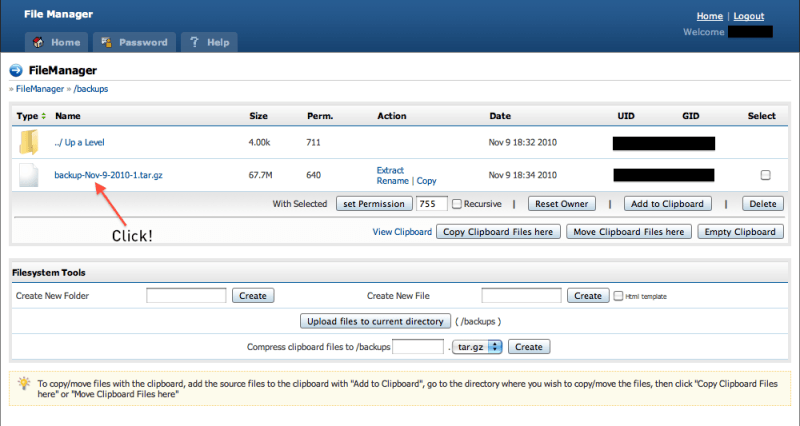
Now, here is how we suggest you save this file:
That’s it, we are done!
As a general rule, I suggest you keep at least 1 week of backups on your computer.










