
July 9, 2021 . 2 MIN READ
http://askubuntu.com/questions/303593/how-can-i-chmod-777-all-subfolders-of-var-www
This is bad practice, but hopefully you are just using this for development, or you have another good reason. You can specify the permissions when you create a directory using the -m option:
mkdir -m 777 dirname
Or you can set the permissions recursively.
sudo chmod -R 777 /var/www
Before using either of these, really consider if you want your filesystem to be so accessible.
Edit: As mentioned by Rinzwind here is a better way of accomplishing what you want.
Check what group owns your /var/www directory and add your user to that group.
sudo adduser yourusername group
The group is probably www-data.
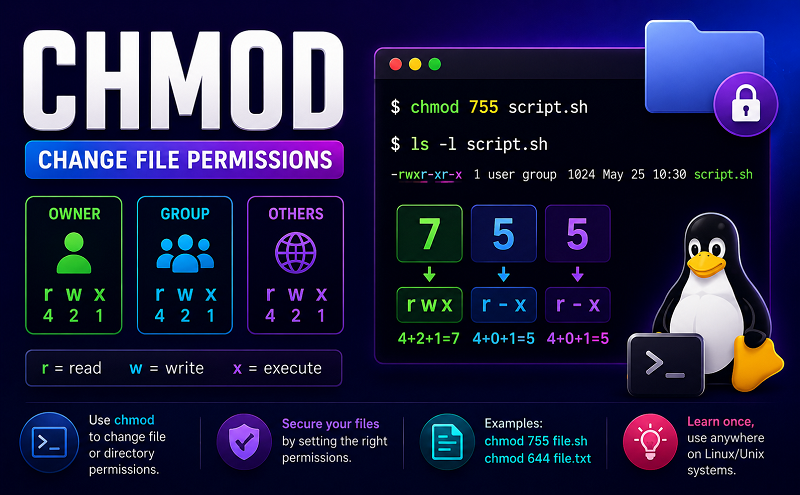
Then you will be OK with setting your permissions to 775.
http://askubuntu.com/questions/386928/default-permissions-for-var-www
sudo chown -R www-data:www-data /var/www
There is a difference between the database user and the Apache user. The Apache User is the only one who can actually read the files. The database user is only meant for giving/taking database read/write permissions.
In addition, keep the default permissions from the webapp install. Do not change those, except for the owning user/group. If you are instructed by the webapp, change permissions.
If you are more concerned about security, you could instead run the following commands:
sudo chown -R $USER:www-data /var/www
sudo chmod -R 640 /var/www
sudo chown admin:www-data /var/www -R sudo chmod g+w /var/www -R
Make sure the group is www-data on ‘/var/www’.
sudo chgrp www-data /var/www
Make it writable
sudo chmod 775 /var/www
set group id for subfolders
sudo chmod g+s /var/www
add your username to the group
sudo useradd -G www-data [USERNAME]ORusermod -a -G www-data [USERNAME]
give yourself ownership
sudo chown [USERNAME] /var/www/
If your server documents are in /home/$USER/public_html directory you need to run
sudo chown -R www-data:www-data /home/$USER/public_html
to give ownership of the DocumentRoot folder to the user www-data and group www-data.
Then you can add yourself to the group www-data
sudo adduser $USER www-data
Finally, you need to make the DocumentRoot folder writable by owner (www-data user) and to your self (as part of the www-data group):
sudo chmod -R 775 /home/$USER/public_html
For convenience you can make script named public_html_fix.sh with content:
#!/bin/bash sudo adduser $USER www-datasudo chown -R www-data:www-data /home/$USER/public_htmlsudo chmod -R 775 /home/$USER/public_html
Save it inside /home/$USER/bin and make it executable using:
sudo chmod +x /home/$USER/bin/public_html_fix.sh
Then you call it whenever you need, from wherever on the file system you happen to find yourself like this:
public_html_fix.sh










