
July 9, 2021 . 2 MIN READ
Hello Forum Members –
Currently using a cPanel / WHM VPS setup. I created about 15 domains using WHM. Then I uploaded using SFTP all the files for all 15 domains.
Afterward I found I could not modify any files by logging in via SFTP as the account username. So I went into WHM to discover that ALL the accounts had “root” as the owner.
Still in WHM I went to “Change Account Owner” and was redirected to “Modify An Account”. When I selected the account I wanted to modify, I was directed to the modification page. Under the drop down box for “Account Owner” the only option was “root”.
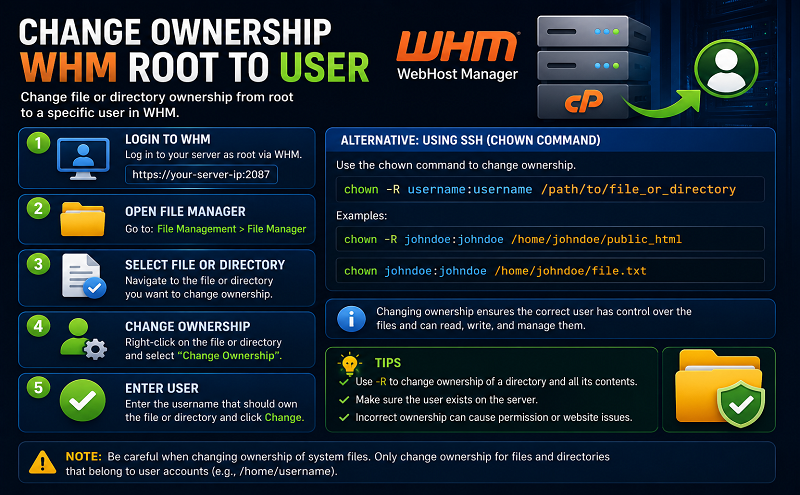
So I logged in via SSH and changed all the account ownerships from root to the username on the account:
root@******** [~]# chmod -R +rx /home/username/
root@******** [~]# chown -R username:username /home/username/
Even after restarting apache the account usernames still appear as “root” in the WHM when listing accounts or trying to “Modify An Account”.
Although now I CAN modify account files via SFTP logging in as the user instead of “root”, and I DO see the changes to the accounts when logging in via SSH, the WHM will simply not display the account usernames, nor will it allow changes from “root” to those usernames. WHM still shows all accounts as owned by “root”.
I guess it’s not big deal if someone knows how to log in via SSH and change ownership / permissions, but for those relying on the GUI of WHM to help them accomplish those changes it can be frustrating.
Is there a way I might not know about using WHM to change the account owner from “root” to the account username when on a WHM VPS?
Best wishes,
themuse
https://forums.cpanel.net/threads/change-owner-modify-account-in-whm-with-vps.505641/










