July 13, 2021 . 2 MIN READ
https://aws.amazon.com/premiumsupport/knowledge-center/duplicate-master-user-mysql/
Last updated: 2020-08-20
I want to have another user with the same permissions as the master user for my Amazon Relational Database Service (Amazon RDS) or Amazon Aurora MySQL DB instance. How do I duplicate or clone the master user?
An RDS DB instance that runs MySQL can have only one master user, but it’s possible to create a new user that has all the same permissions as the master user. To create a new user that has master permissions, follow these steps:
mysql> SHOW GRANTS for master_username;
The command provides output similar to the following:
+——————————————————————————————————————————————————————————————————————————————————————————————————————————————————————————————————————–+| Grants for master_user@% |+——————————————————————————————————————————————————————————————————————————————————————————————————————————————————————————————————————–+| GRANT SELECT, INSERT, UPDATE, DELETE, CREATE, DROP, RELOAD, PROCESS, REFERENCES, INDEX, ALTER, SHOW DATABASES, CREATE TEMPORARY TABLES, LOCK TABLES, EXECUTE, REPLICATION SLAVE, REPLICATION CLIENT, CREATE VIEW, SHOW VIEW, CREATE ROUTINE, ALTER ROUTINE, CREATE USER, EVENT, TRIGGER, LOAD FROM S3, SELECT INTO S3, INVOKE LAMBDA, INVOKE SAGEMAKER, INVOKE COMPREHEND ON *.* TO ‘master_user’@’%’ WITH GRANT OPTION |+——————————————————————————————————————————————————————————————————————————————————————————————————————————————————————————————————————–+
Note: In the command above, the master user has the user name master_user.
mysql> CREATE USER ‘new_master_user’@’%’ IDENTIFIED BY ‘password’;
Note: Replace new_master_user and password with your user name and password.
mysql> GRANT SELECT, INSERT, UPDATE, DELETE, CREATE, DROP, RELOAD, PROCESS, REFERENCES, INDEX, ALTER, SHOW DATABASES, CREATE TEMPORARY TABLES, LOCK TABLES, EXECUTE, REPLICATION SLAVE, REPLICATION CLIENT, CREATE VIEW, SHOW VIEW, CREATE ROUTINE, ALTER ROUTINE, CREATE USER, EVENT, TRIGGER ON *.* TO ‘new_master_user’@’%’ WITH GRANT OPTION;
The new user now has the same permissions as the master user.
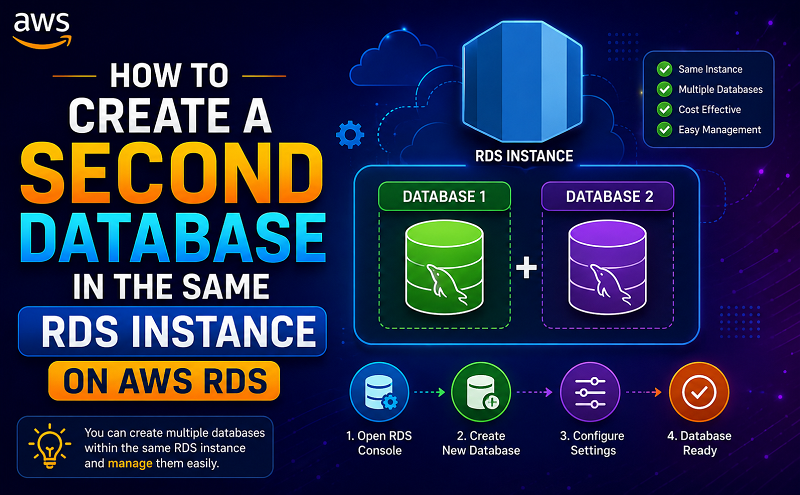
If you want to create a second database schema in running RDS instance. So you may follow the below steps.
# mysql -uusername -ppassword -h rds-hostname
mysql> CREATE USER ‘newusername’@’%’ IDENTIFIED BY ‘password’;
mysql> CREATE DATABASE newdatabase;
mysql> GRANT ALL PRIVILEGES on newdatabase.* To newusername@’%’;
mysql> FLUSH PRIVILEGES;
mysql> SHOW databases;
# mysql -unewusername -ppassword -h rds-hostname
# mysql -unewusername -ppassword -h rds-hostname –database < dump.sql