
July 9, 2021 . 2 MIN READ
I am having the same problem on my newly formed blog – here is the error which I am getting;
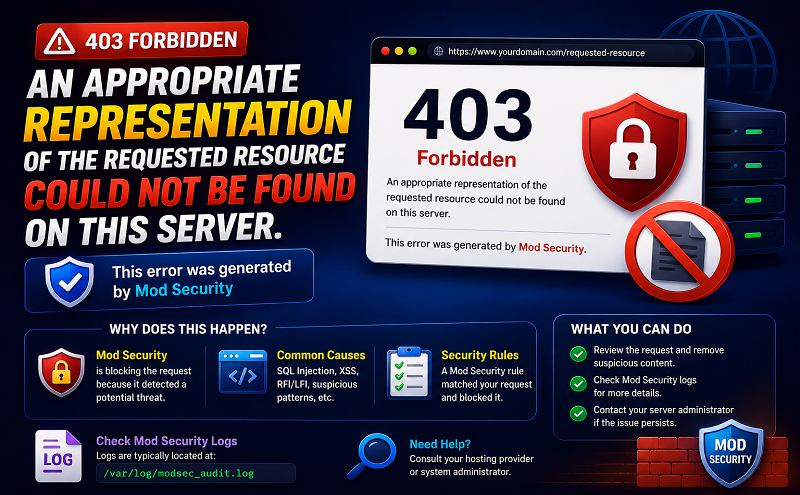
Not Acceptable
An appropriate representation of the requested resource /blog/wp-admin/options.php could not be found on this server.
Additionally, a 404 Not Found error was encountered while trying to use an ErrorDocument to handle the request.
I searched the error on google and found that I need to edit .htaccess file and add the following code into it;
<ifModule mod_security.c>
SecFilterEngine Off
SecFilterScanPOST Off
</ifModule>
so my blog’s .htaccess file looks like this;
# BEGIN WordPress
<IfModule mod_rewrite.c>
RewriteEngine On
RewriteBase /blog/
RewriteCond %{REQUEST_FILENAME} !-f
RewriteCond %{REQUEST_FILENAME} !-d
RewriteRule . /blog/index.php [L]
</IfModule>
<ifModule mod_security.c>
SecFilterEngine Off
SecFilterScanPOST Off
</ifModule>
# END WordPress
but still it does not resolves my problem~ I double checked the file in the specific directory it is there but still the same issue!!! ~ can anyone help me out over here??? =(
regards.
Solved
Solution 2 for Fixing 406 Error
This is the solution that worked for me for my WordPress site.
Backup your .htaccess file if you have one in the public_html directory.
Open the .htaccess file with any text editor and observe the lines between the “# BEGIN WordPress” and “# END WordPress” tags. Make sure the lines look somewhat like the following. If not then update the file with the following content and upload it to the ‘public_html’ directory.
# BEGIN WordPress
<IfModule mod_rewrite.c>
RewriteEngine On
RewriteBase /
RewriteCond %{REQUEST_FILENAME} !-f
RewriteCond %{REQUEST_FILENAME} !-d
RewriteRule . /index.php [L]
</IfModule>
# END WordPress
Hopefully one of these solutions help fix your “Not Acceptable” error. Good luck.










