
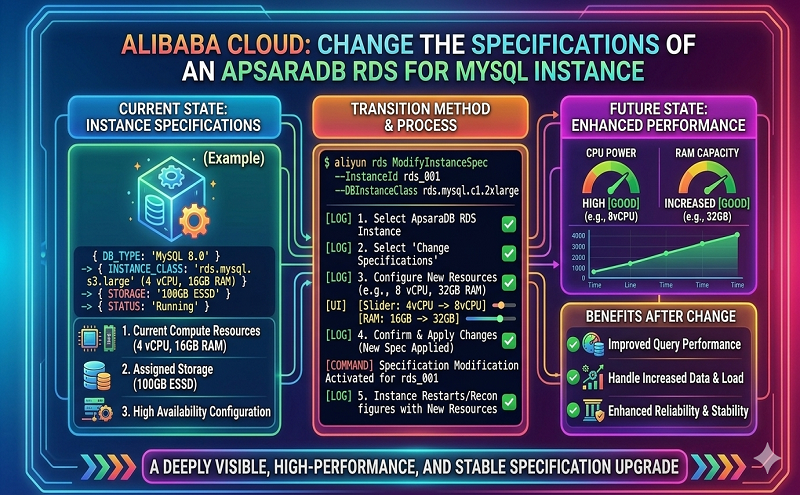
This topic describes how to change the specifications of an ApsaraDB RDS for MySQL instance. The specifications include the RDS edition, instance type, and storage capacity.
For more information about how to change the specifications of an RDS instance that runs a different database engine, see the following topics:
- Change the specifications of an ApsaraDB RDS for SQL Server instance
- Change the specifications of an ApsaraDB RDS for PostgreSQL instance
- Change the specifications of an ApsaraDB RDS for PPAS instance
- Change the specifications of an ApsaraDB RDS for MariaDB instance
Prerequisites
- Your Alibaba Cloud account does not have overdue renewal orders.
- The instance is in the Running state.
Precautions
- When you change the specifications of your RDS instance, an automatic data migration may be triggered. After the migration is complete, ApsaraDB RDS switches your workloads over to a new RDS instance during the switching time that you specify. The switchover does not interrupt the synchronization of incremental data. However, the migration causes network interruptions or the connection to be lost. This depends on the edition of your RDS instance. During network interruptions or if the connection is lost, you cannot perform most of the operations that are related to databases, accounts, and network settings.
Warning
- If you use the Basic Edition, your RDS instance is not provided with a secondary RDS instance as a hot standby. Therefore, your database service is unavailable during a specification change. The length of time during which your database service is unavailable may be 30 minutes or more. We recommend that you change the specifications of your RDS instance during off-peak hours. This prevents interruptions to your workloads. If you require high service availability, we recommend that you do not select the Basic Edition. For example, you can select the High-availability Edition.
- If you do not use the Basic Edition, a specification change may cause the connection to be lost for about 30 seconds. This does not interrupt your workloads. However, we still recommend that you change the specifications of your RDS during off-peak hours. Otherwise, make sure that your application is configured to automatically reconnect to your RDS instance.
Note If your RDS instance uses standard or enhanced SSDs and does not run the RDS Basic Edition, your workloads are not interrupted and no transient connections occur when you expand the storage capacity. - If you want to increase the read capability of your database system, you can create read-only RDS instances. These read-only RDS instances are used to offload read requests from your primary RDS instance. For more information, see Create a read-only ApsaraDB RDS for MySQL instance.
- After you change the specifications of your RDS instance, you do not need to manually restart the instance.
- After you change the specifications of your RDS instance, the ID and endpoints of the instance remain unchanged.
Billing
For more information, see Specification change fees.
Procedure
FAQ
- How do I switch my RDS instance among the local, standard, and enhanced SSD storage types?
For more information, see How do I migrate an ApsaraDB RDS instance from standard or enhanced SSDs to local SSDs?.
- When I expand the storage capacity of my RDS instance, an error that indicates insufficient storage resources is returned. What do I do?
Migrate your RDS instance to another zone. Then, expand the storage capacity of your RDS instance again. For more information, see Migrate an ApsaraDB RDS for MySQL instance across zones in the same region. After you migrate your RDS instance to another zone, the endpoints of your RDS instance remain unchanged. However, the IP addresses that are bound to the endpoints change. Make sure that your application is configured to automatically reconnect to your RDS instance.
- If I expand only the storage capacity of my RDS instance, do I need to migrate data to a new RDS instance?
In most cases, if your RDS instance uses standard or enhanced SSDs and does not run the RDS Basic Edition, the connection is not lost when you expand the storage capacity. If your RDS instance uses local SSDs, you may encounter the following circumstances:
- The host on which your RDS instance is deployed can provide sufficient storage resources. In this case, you can directly expand the storage capacity. The expansion process does not interrupt your workloads.
- The host on which your RDS instance is deployed cannot provide sufficient storage resources. In this case, ApsaraDB RDS creates new primary and secondary RDS instances on another eligible host. Then, ApsaraDB RDS synchronizes the data of your original RDS instance to the new primary and secondary RDS instances. The synchronization does not interrupt the workloads on your original RDS instance. However, after the synchronization is complete, the connection is lost for about 30 seconds.
Note You cannot query the remaining storage space of the host on which an RDS instance is deployed. - When I upgrade my primary RDS instance, does ApsaraDB RDS automatically upgrade the read-only RDS instances that are attached to my primary RDS instance?
No, after you upgrade your primary RDS instance, you must manually upgrade the read-only RDS instances that are attached to your primary RDS instance.
- When I change the specifications of my RDS instance, are my online workloads interrupted?
When you change the specifications of your RDS instance, your online workloads may be interrupted. For more information, see the “Precautions” section of this topic.
- After I change the specifications of my RDS instance, do the endpoints of the instance change?
No, after you change the specifications of your RDS instance, the endpoints of the instance remain unchanged. An example endpoint is rm-bpxxxxx.mysql.rds.aliyuncs.com. However, the IP addresses that are bound to the endpoints may change. We recommend that you add the endpoints to your application. Do not add the IP addresses to your application.
When I change the specifications of my ApsaraDB RDS for MySQL instance, which factors that affect the change duration?
For more information, see Which factors affect the time that is required to change the specifications of my ApsaraDB RDS for MySQL instance?.
Resource: https://www.alibabacloud.com/help/doc-detail/96061.htm










