Anwar

Posts

Elasticsearch gets shut down automatically

/etc/elasticsearch/jvm.options   To prevent this scenario, place an upper limit on the fielddata by adding this setting to the config/elasticsearch.yml file: indices.fielddata.cache.size:  20%   The circuit breaker...

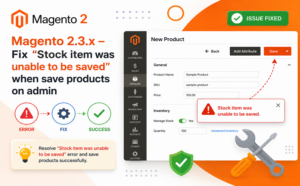
Magento 2.3.x – Fix “Stock item was unable to be saved” when save products on admin

Review if you have a named “default” stock source on your admin. Under Stores > Inventory > Sources. If you don’t have this one, let’s...

Openvpn admin password reset from command line

If you did not change the password for the openvpn bootstrap account or you do not remember the password you have assigned it, you can...

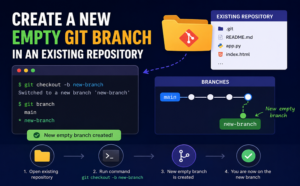
create a new empty git branch in an existing repository

Sometimes you want to create a completely empty git branch in a repository (for example for documentation, static site generation etc). Here is how to...

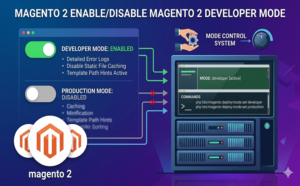
Magento2 Enable/ Disable Magento 2 Developer Mode

bin/magento deploy:mode:set developer   bin/magento deploy:mode:set production Reference: https://www.mageplaza.com/devdocs/enable-disable-developer-mode-magento-2.html

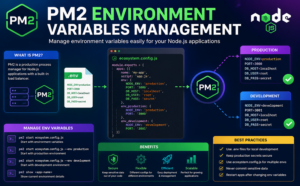
PM2 ENVIRONMENT VARIABLES MANAGEMENT

pm2 restart app –update-env   CLI Via CLI, the environment is conservative meaning that, when you will run different process management actions (restart, reload, stop/start), new environment...

Troubleshooting authentication related problems

Create/reset openvpn administrative local account with specified password: cd /usr/local/openvpn_as/scripts./sacli –user “openvpn” –key “prop_superuser” –value “true” UserPropPut./sacli –user “openvpn” –key “user_auth_type” –value “local” UserPropPut./sacli –user “openvpn” –new_pass=<PASSWORD>...

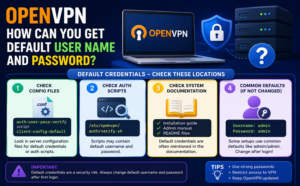
Openvpn How can you get default user name and password?

Admin Web UI Address and Login Credentials After your Access Server installation, an output message displays with the following information for your VPN server: The...


Google Cloud resize persistent disk

In the Google Cloud Console, go to the VM instances Go to VM instances Next to the instance that has the new attached disk, click the SSH...