How to Scale Amazon RDS Vertically and Horizontally for Better Performance

November 2, 2022 . 2 MIN READ

Vertical scaling

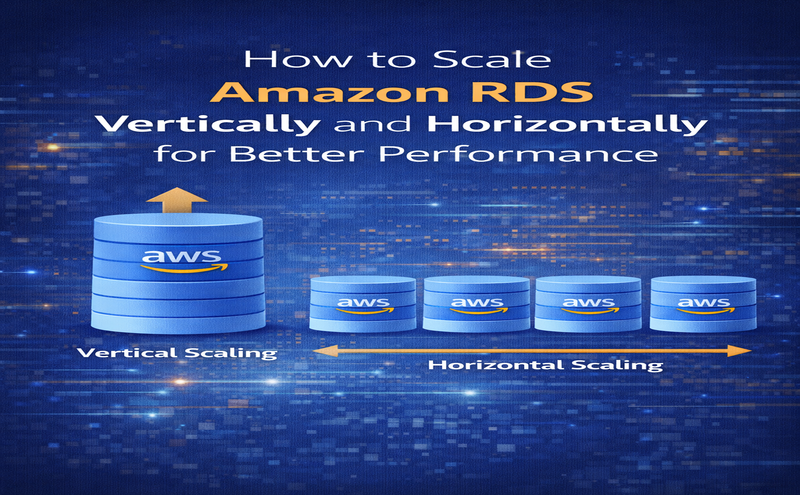
Vertical scaling is the most straightforward approach to adding more capacity in your database. Vertical scaling is suitable if you can’t change your application and database connectivity configuration. You can vertically scale up your RDS instance with a click of a button. Several instance sizes are available, from general purpose to CPU and memory optimized, when resizing in Amazon RDS for MySQLAmazon RDS for PostgreSQLAmazon RDS for Maria DBAmazon RDS for Oracle, or Amazon RDS for SQL Server. Instance types have combinations of CPU, memory, storage, and networking capacity, and give you the flexibility to choose the appropriate mix of resources for your database. In addition, each instance type includes several instance sizes, which allows you to scale your database to the requirements of your target workload.

The following are some things to consider when scaling up an RDS instance:

  • Before you scale, make sure you have the correct licensing in place for your commercial engine such as Oracle, especially if you Bring Your Own License (BYOL). You can use License Manager to centrally track usage of your Oracle database licenses based on your license agreement terms.
  • Database instance class support varies by database engine and AWS Region.
  • Determine when you want to apply the change. You can apply the change immediately or during the maintenance window specified for the instance.
  • Storage and instance type are decoupled. Also, modifying your storage doesn’t incur any downtime. If your workload is predictable, you can separately modify your DB instance to increase the allocated storage space or improve performance by changing the storage type (such as to General Purpose SSD to Provisioned IOPS SSD).
  • If you have an unpredictable workload, you can manage your storage capacity by enabling Amazon RDS storage autoscaling.
  • There is minimal downtime when you’re scaling your RDS instance up on a Multi-AZ environment because the standby database gets upgraded first, then a failover occurs to the newly sized database. A Single-AZ RDS instance is unavailable during the scaling operation.

    Reference:

    https://aws.amazon.com/blogs/database/scaling-your-amazon-rds-instance-vertically-and-horizontally/


Leave a Reply

Your email address will not be published. Required fields are marked *