February 8, 2023 . 2 MIN READ
This allows you to use different settings and configurations for the same web app without cloning or renaming it.
Cloning is different from creating a web app alias because cloning copies the web app to a new location and creates a separate root folder for it.
A web app alias, on the other hand, shares the same root folder as the original web app – but has its own NGINX config and web app settings.
Some real-world scenarios in which you can use a web app alias include:
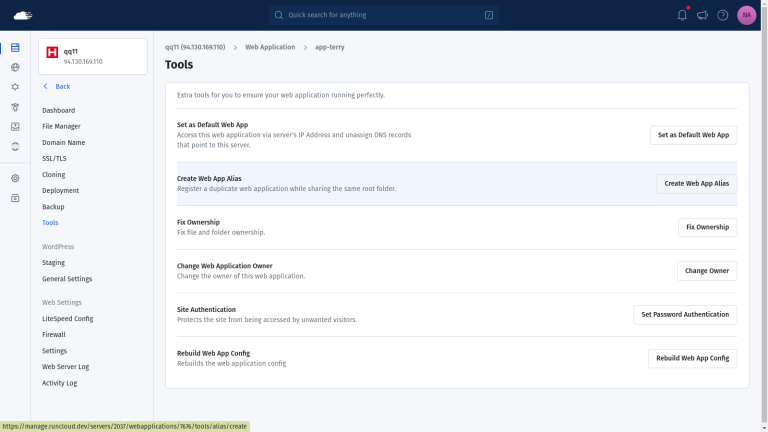
To create an alias of your web application, go to the RunCloud dashboard and navigate to the “Tools” menu of the web app. On that screen, click on the “Create Web App Alias” to start the process.
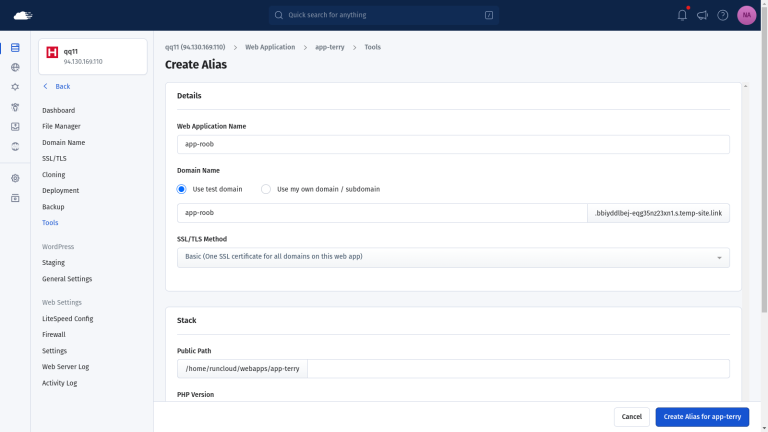
On the next screen, you need to specify the name of your web application and provide your domain name. You also have the option to configure other settings such as the PHP version and server configuration.
Once you have made all of the changes, click on “Create” to create a new application.
After you have created the alias, you can see it under the web applications menu. The @ icon next to its name suggests that it is an alias of another application.
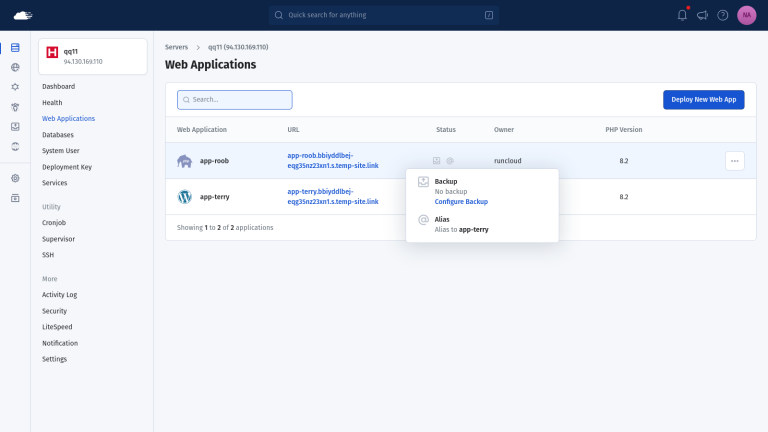
If you no longer need an alias, you can safely delete it from the RunCloud dashboard. Deleting the alias will not remove your original application.
Reference:
https://runcloud.io/knowledgebase/articles/web-application/what-is-a-web-app-alias