
July 20, 2020 . 1 MIN READ
https://jerrygamblin.com/2016/10/19/ubuntu-remote-desktop-on-digital-ocean/
http://c-nergy.be/blog/?p=11868
19/10/20164889 Views
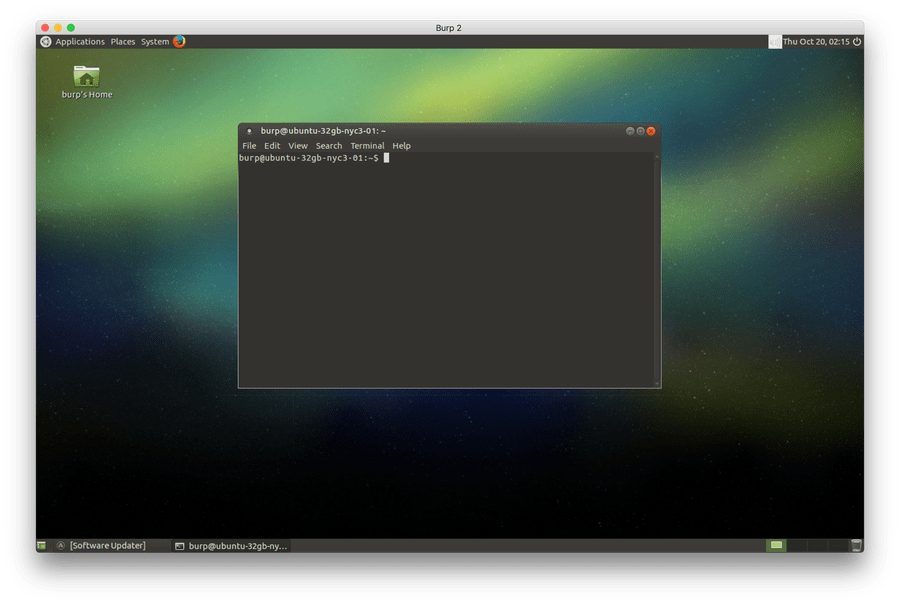
I use DigitalOcean for a majority of my testing and from time to time I need a desktop environment to run some of my tools (like burp). After spending much more time than I want to admit I have it down to these 10 commands to bring a Ubuntu + Mate+ XRDP desktop to a Ubuntu Droplet :
sudo apt-get update && sudo apt-get dist-upgrade -y
sudo apt-get install –no-install-recommends ubuntu-mate-core ubuntu-mate-desktop -y
sudo apt-get install mate-core mate-desktop-environment mate-notification-daemon xrdp -y
adduser burp
usermod -aG admin burp
usermod -aG sudo burp
su – burp
echo mate-session> ~/.xsession
sudo cp /home/burp/.xsession /etc/skel
sudo service xrdp restart
From there you can use any RDP viewer to connect to your droplet:









11 replies on “Ubuntu 18.04 – Install xRDP the easy way (Scripted Installation)”
There is definately a great deal to find out about this subject. I love all of the points you have made. Erinn Quintin Maxey
Hurrah! At last I got a blog from where I can really obtain helpful data concerning my study and knowledge. Tobye Ferrell Zenobia
Awesome blog post. Really looking forward to read more. Want more. Tybie Zerk Flosser
I have read so many articles on the topic of the blogger lovers but this paragraph is actually a good post, keep it up. Hedvige Arty Angy
Hello! I simply wish to give an enormous thumbs up for the great info you have here on this post. I will be coming again to your blog for more soon. Arliene Fonsie Thaddus
Hello my friend! I want to say that this post is amazing, nice written and include almost all vital infos. I would like to see more posts like this. Ruthe Pincas Bambie
Very good comments, i really love this site , i am happy to bookmarked and tell it to my friend, thanks for your sharing. Marlie Wesley Gurango
I cannot thank you enough for the post. Much thanks again. Really Great. Dell Neill Hibbs
I am actually grateful to the owner of this site who has shared this impressive article at here. Raina Berkeley Rubia
Thank you!!1
Really enjoyed this article, how can I make is so that I receive an alert email every time you publish a fresh article? Grete Kilian Tedra