
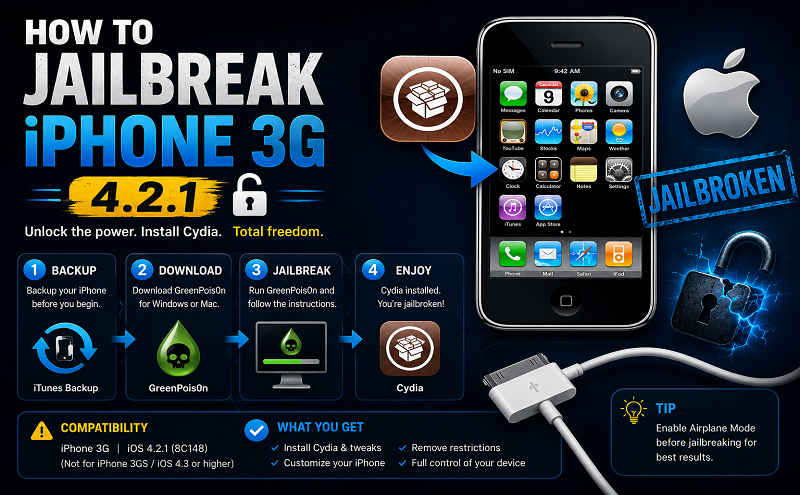
How to jailbreak iphone 3g-421

July 9, 2021 . 1 MIN READ

For Those Who Would Rather Read (Written Instructions)

The next part of the process is to get your device ready for Redsn0w to do the jailbreak. It’s easy to mess this part up, so read through all of these steps to make sure you get it right. The instructions and a counter are right there in the app to help you out with this step after you click next. But make sure you are ready, because it starts right away.

  1. Turn off your device by holding the sleep button for 5 seconds and sliding to power off.
  2. With the device turned off hold just the sleep button for 3 seconds.
  3. After three seconds are up, continue holding the sleep button and then start holding the home button.
  4. Hold the sleep and home buttons for 10 seconds. When 10 seconds pass, release the sleep button and continue holding the home button for 8 seconds.
  5. After 8 seconds you can release the home button, and watch Redsn0w do it’s thing.

After about 5 minutes your device will reboot and you’ll see the Apple logo. If you can see the Cydia icon on your home screen, you’re jailbroken! Now you can start loading your device with tons of cool apps off the Cydia app store.

http://www.guidemyjailbreak.com/how-to-jailbreak-iphone-3g-421/

Jailbreak and unlock iOS 4.2.1 with redsn0w 0.9.6b5

Leave a Reply

Your email address will not be published. Required fields are marked *








