
March 3, 2022 . 2 MIN READ
pm2 restart app –update-env
Via CLI, the environment is conservative meaning that, when you will run different process management actions (restart, reload, stop/start), new environment variables will not be updated into your application.
To set an environment variable via CLI:
$ ENV_VAR=value pm2 start app.js
To update environment variables, you have to append the –update-env to the restart/reload command:
$ ENV_VAR=somethingnew pm2 restart app –update-env
Any time you change the ecosystem process file, the environment variables will be updated.
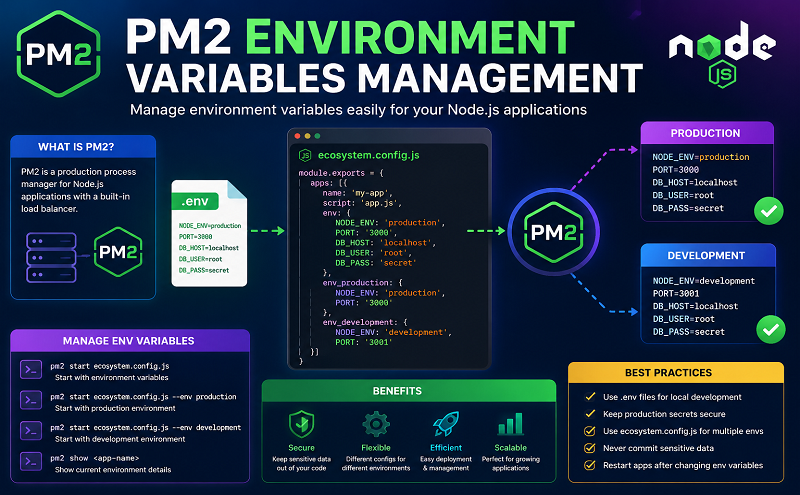
To set default environment variables via ecosystem file, you just need to declare them under the “env:” attribute:
module.exports = { apps: [{ name: “app”, script: “./app.js”, env: { NODE_ENV: “development” }, env_test: { NODE_ENV: “test”, }, env_staging: { NODE_ENV: “staging”, }, env_production: { NODE_ENV: “production”, } }]}
Then start it:
$ pm2 start ecosystem.config.js
As you might have noticed, there is also a part about the env_test, env_staging and env_production in the ecosystem file.
For example to use the env_production variables instead of the default ones you just need to pass the –env <env_name> option:
$ pm2 start ecosystem.config.js –env production
Note: The env_production in the ecosystem file is a regex like env_* that can have any value and be called when using the CLI via — env *.
If you are using Ecosystem file to manage your application environment variables under the env: attribute, the updated ones will always be updated on pm2 <restart/reload> app.
$ pm2 restart/reload ecosystem.config.js [–env production]
Reference: https://pm2.io/docs/runtime/best-practices/environment-variables/










