
July 9, 2021 . 1 MIN READ
If you would like to grant a user SSH access, you may do so if you are an administrator.
Step 1 – Login into DirectAdmin with an administrator account.
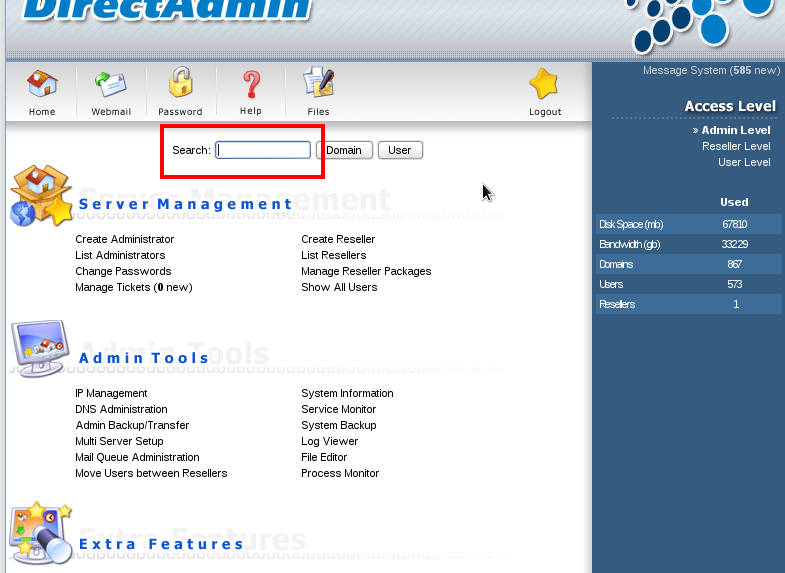
Step 2 – Search for the user that you would like to make changes to.
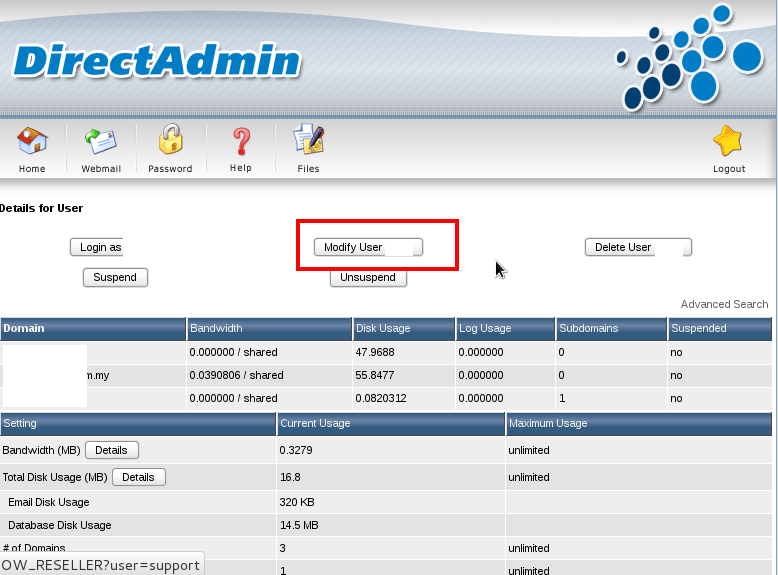
Step 3 – Click on “Modify user”.
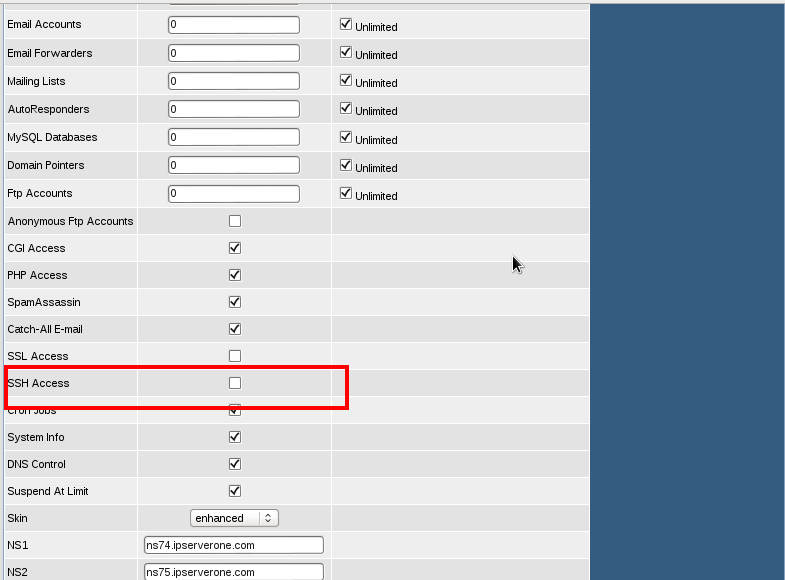
Step 4 – Tick “SSH Access”.
Step 5 – Click “Save”.
The said account is now able to access the webserver via SSH access.
You can also grant SSH access and privileges to an account via your web server’s SSH terminal.
http://www.ipserverone.info/control-panel/how-to-grant-ssh-access-to-a-user-account-in-directadmin/










