
July 9, 2021 . 5 MIN READ
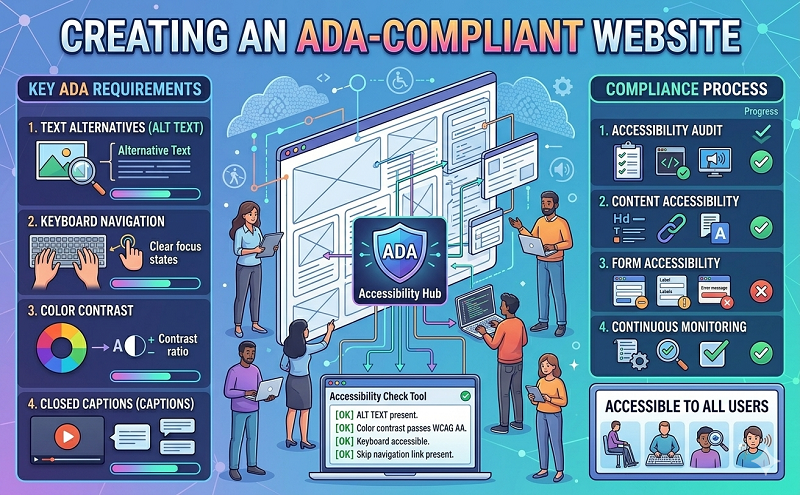
Title III of the Americans with Disabilities Act (ADA) requires that businesses and nonprofit services providers make accessibility accommodations to enable the disabled public to access the same services as clients who are not disabled. This includes electronic media and web sites. While the ADA applies to businesses with 15 or more employees, even smaller businesses can benefit from ensuring that their websites are ADA compliant. Doing so opens your company up to more potential clients and limits liability. Web developers should include ADA compliant features in the original site and application plans.
This is particularly important when working for a government agency or government contractor, as these organizations must follow web accessibility guidelines under Section 508 of the Workforce Rehabilitation Act of 1973. Although ADA and Section 508 compliance are different, the published checklist for Section 508 compliance offers insight into ways to make websites accessible for people with disabilities, and thereby work toward ADA compliance.
To check your website for accessibility, use the accessibility checklist published by the U.S. Department of Health and Human Services (1194.22 Web-based intranet and internet information and applications):
(Courtesy U.S. Department of Health and Human Services)
If the site meets all these criteria, it is likely accessible to people with disabilities. The best test is to obtain feedback on the site’s ease of use from people who are blind, deaf, and have mobility disabilities, then address their feedback with site improvements.
When collecting feedback, ask users what type of adaptive technologies they use. This will allow you to cater your website to your particular clientele, and will help you appoint resources toward the best compliance options. Navigating the Internet is particularly challenging for people with limited or no vision. Many blind people use specialized web browsers and software that works with standard web browsers, like Internet Explorer, that have features that enable users to maximize their Internet use and experience. This screen reading software reads the HTML code for websites, and gives the user a verbal translation of what is on screen.
Web developers need to keep this in mind when creating websites. The best screen readers use naturalized voices and alter tone and inflection based on HTML tags, so choose layout elements carefully. It is also important to keep in mind that navigation is significantly slower when using a screen reader than it is for sighted people. Sighted people don’t have to wait for the reader to get to the link we want- we spot links quickly and are able to navigate to our sought items, often without having to do any reading at all. Minimizing graphics also helps shorten reading times and speed navigation for disabled users.
Don’t wait for user feedback to discover the gaps in your website’s accessibility. Conducting your own trial run will tell you where the site has too many graphics, and where HTML tags don’t convey information accurately. It’s wise to do trial runs with as many of the most popular screen readers available:
Development tools and tutorials exist to help web designers meet compliance standards and go beyond to offer disabled users an enjoyable experience (and keep them coming back). Check out the following for more information:
Then make your job easier with these web accessibility development tools:
You probably won’t have to check your site with all of the available evaluation tools out there, but it is a good idea to do so for the most common web browsers. Just as accessibility software makes it easier for people with disabilities to navigate the Internet, these tools make it easier for developers to ensure accessibility from the start. When you think you’ve mastered it, go back through the Section 508 compliance checklist to ensure you’ve met every goal.
http://www.techrepublic.com/blog/web-designer/creating-an-ada-compliant-website/










