Clone Your LinodePermalink
- Log in to the Linode Manager.
- Select the Linodes tab to list your active Linodes.
- Click on the Linode you wish to clone. This will load its Dashboard.
- Recommended: Click Shut down to power down the Linode. This is recommended to prevent data corruption.
- Click the Clonetab to select the disks or configuration profiles you wish to clone. If you select a configuration profile, all of the disks attached to it will be included automatically. You can confirm this from the Disks Attached
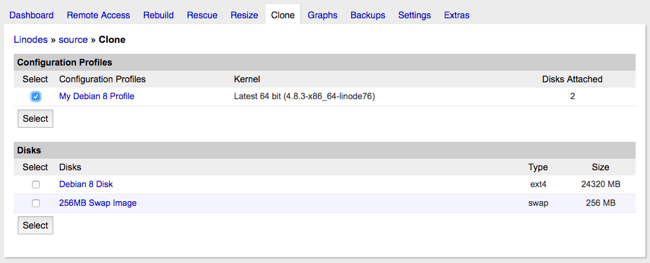
6. Once you’ve applied your choices, hit Select. You’ll be provided with an approximate estimate of how long it will take to clone your Linode:
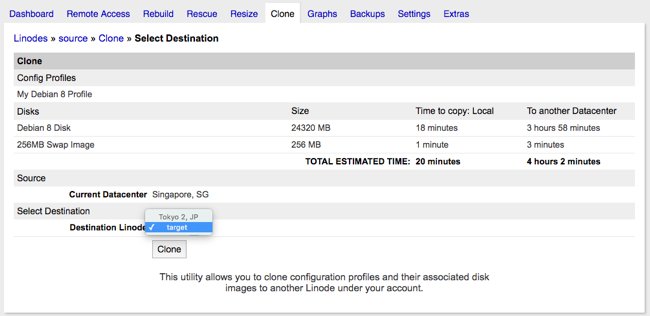
7. From the Destination Linodemenu, select the Linode you want to clone to.
8. Click Clone. The receiving Linode’s Dashboard will appear. Watch the Host Job Queueto monitor your progress.
Once the cloning process completes, your selected disks and configuration profiles will be available on the destination Linode.