
July 14, 2021 . 2 MIN READ
When a domain is transferred, the nameservers associated with the domain will stay the same (e.g., ns1.OldRegistrar.com and ns2.OldRegistrar.com). However, since the domain is no longer with the old registrar, the old registrar’s nameservers will stop responding to queries for your domain. This will cause downtime until you switch your domain to our DNS.
Learn how to reduce downtime during transfers in this article.
Important: If you are using third-party nameservers such as your hosting company, the domain transfer will not cause any downtime issues, because DNS server settings will not change during the transfer.
In case your domain is not registered directly with Enom but shows Enom as the Registrar in Whois, it may be registered with one of their Resellers. In this case you will need to prepare the domain for transfer on the side of the Reseller company, either through their user interface or with help from their support. Here you can check the Reseller with which your domain is registered.
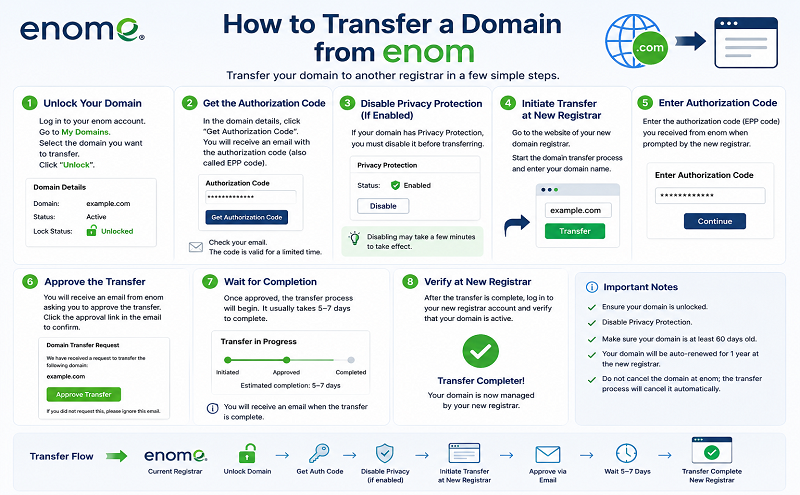
Before submitting a transfer request with us please obtain Auth/EPP code (if applicable) from Enom, make sure that the domain is unlocked and contact information associated with the domain is valid and up-to-date.
1. How to unlock your domain and get the Auth code from Enom:


Once the domain name is unlocked and you have received your Auth Code, you may initiate the transfer to Namecheap. Please refer to this article for more information on how to transfer a domain to us.
That’s it!










